



 Description
Redis is a really fast and useful NoSQL database that is in use with many large web companies like stack over, Twitter and even Instagram. It is often referred to as a data structure server since keys can contain strings, hashes, lists, sets and stored sets. Redis is written in c language and these Redis concepts needs to create the performance oriented system and deployed a highly salable.
If the client comes from a relational database background,the user probably find Redis to be very different from any database. Even if the client uses some NoSQL databases like Ravendb or Mongodb and probably still finds Redis to be quite unique and it is critical to understand what exactly how this Redis operations are performed and properly set the expectation moving forward. Redis is an open source database. The installation process for Redis software is as follows.
step - 1
Goto Redis home page and click on download.
step - 2
For downloading Redis software in windows click on learn more option.

step - 3
It will display the latest version of Redis installers.

step - 4
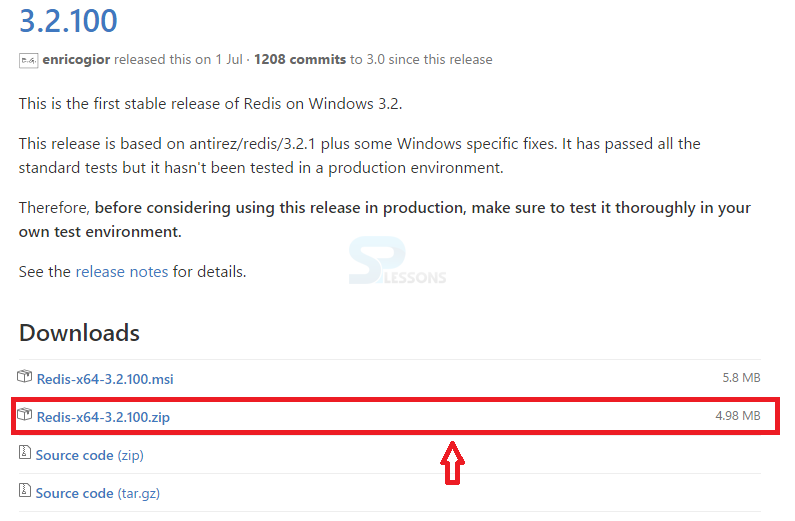
Click on Redis-x64-3.2.100.zip.
step - 5
Extract the Redis -x64-3.2.100(1).zip files.

step - 6
Double click on Redis-server.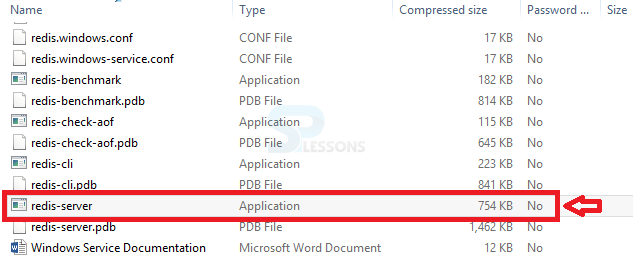
step - 7
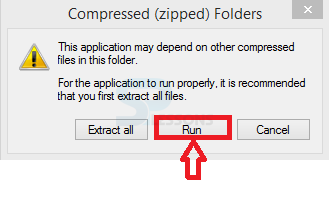
Click on Run button.
step - 8
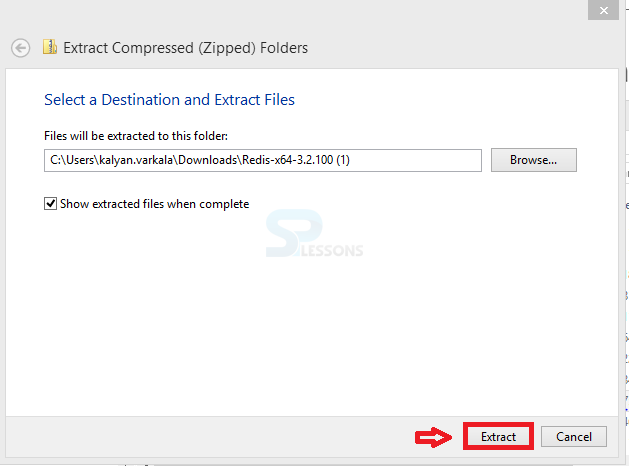
Click on Extract button.
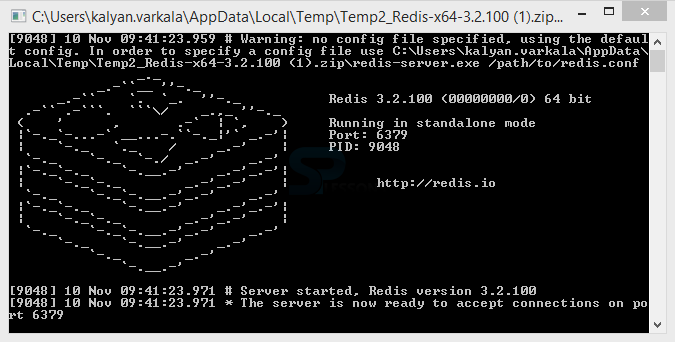
step - 9
Redis server will display like this.
step - 10
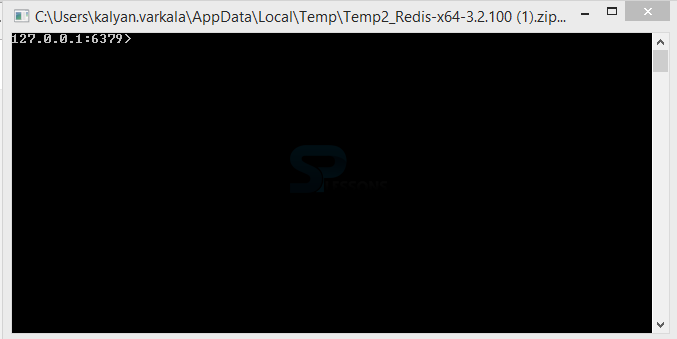
Click on Redis-cl.It will display a protocol address.
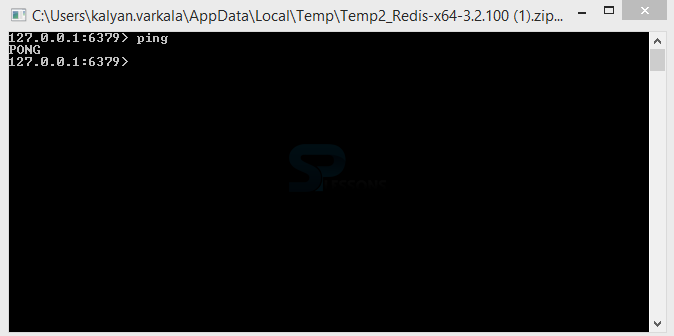
step - 11
Enter ping pong in the protocol address and it display that Redis server as been successfully installed.
Key Points
- Redis Installation - Describes the installation process of Redis server.