


Hi every one today we are going to see how to set the auto increment column in SQL server.
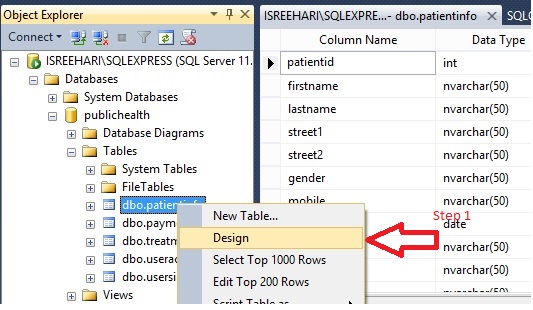
Right click on the table name "patientinfo" and select design option
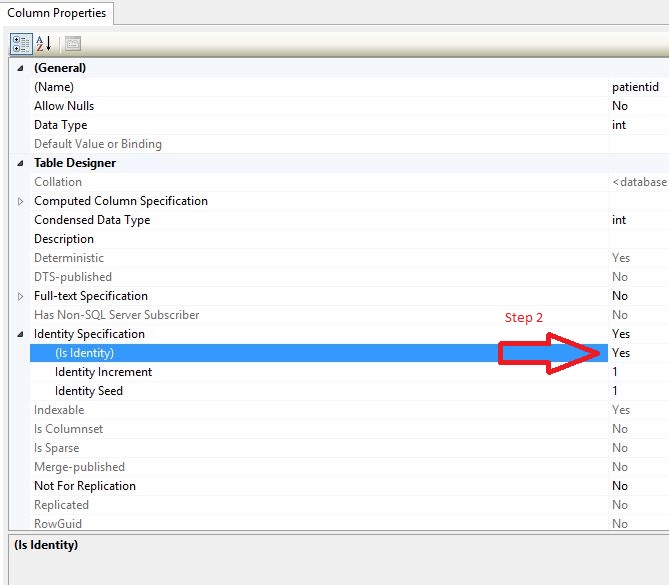
 Navigate to column properties and set " Is Identity " to yes which is under Identity Specification.